


Nova Launcher: Home Screen
3.279.07K Reviews
App Specs
- Version
- 87800 (8.7.8)
- Updated On
- License
- Free
- Downloads
- 100,000,000+
- Developer
- Instabridge Sweden AB
- Categories
- Personalization
- Platform
- Android, iOS
Screenshots
 Analysis by AppCompare
I see Nova Launcher as a hands-on way to reshape an Android home screen, not a magic fix for every part of the phone. Its appeal is the control it gives you over layout and navigation; the trade-off is that getting a setup just right can take time. If you like adjusting small details until your screen feels natural, that balance is rewarding. If you want your phone to stay exactly as it arrived, the extra choices may feel like work rather than a benefit.
What changes when you take control
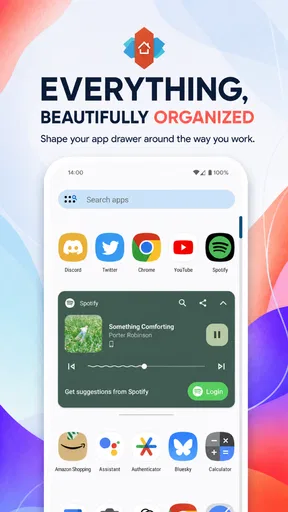
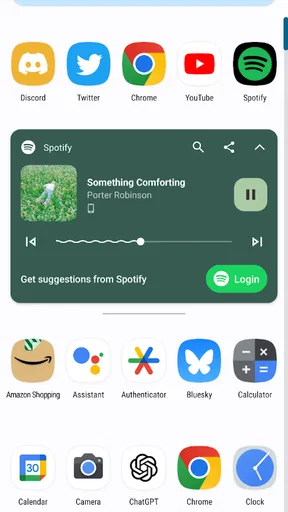
A launcher sits at the center of everyday phone use: it is where you return to open apps, scan your shortcuts, and decide what deserves a place on the home screen. With Nova, that surface becomes something you can arrange around your own habits. I find that more useful than customization for its own sake. A carefully chosen grid, for example, can give frequently used apps room to breathe, while a simpler app drawer can make a crowded collection easier to browse.
The practical payoff is most noticeable when your routine has a clear pattern. If you check messages, maps, and a calendar before leaving home, you can give those destinations a predictable place instead of searching through pages. Someone who uses a phone mainly for calls and a handful of familiar apps may need little more than a tidy layout. Someone with many apps, a strong visual preference, or a desire to make navigation more personal has more reason to explore the settings.
Small adjustments, considered carefully
I would start with the basics rather than changing every option at once. Set the grid and app drawer to a comfortable arrangement, live with it for a day, then decide what still feels awkward. That makes it easier to tell whether a change genuinely improves your routine or simply looks different. It also avoids the familiar trap of spending an evening building an elaborate layout that is satisfying to admire but slower to use.
One useful approach is to treat the home screen as a working surface, not a showcase. Keep the first page for the apps you reach for without thinking, and use the drawer for everything else. If you enjoy visual themes, apply an icon pack after the layout feels settled; otherwise, a new icon style can make familiar apps harder to spot. The freedom to personalize is strongest when it serves recognition and speed, not just a coordinated look.
How it fits among Android choices
The usual alternative is to stay with the launcher that came with the phone. That is a sensible choice if its layout already suits you, since there is no need to learn another set of controls just to make a screen look different. Nova is more compelling when the default arrangement feels restrictive or when you want more say over grids, icons, gestures, and the app drawer. It is less appealing if you would rather accept the manufacturer’s design and move on.
Compared with other personalization tools, a launcher changes the everyday interface rather than only adding a decorative layer. That reach is also a reason to be deliberate: altering the home screen can affect habits you rely on, and a heavily customized setup may take a little adjustment. I would make one change at a time and keep a familiar arrangement available until the new one feels comfortable. The best setup is not the most intricate one; it is the one you can use without pausing to remember where things went.
Worth Reading Before You Choose

Baby Panda World Brings Quick Play to Modern Phones, but Its Game Library Feels Busy

ESPN’s Live Game View Makes Following Close Games Easier

QuizzLand Review: A Good Fit for Short Trivia Breaks, Not Every Player

Basketball Stars: Multiplayer Is Fast, but Can It Recover When Matches Go Wrong?

WEBTOON Turns Phone Updates Into a Better Reading Routine

Link to Windows Runs on Shared Habits, Not Social Feeds
A realistic day with a custom layout
Imagine heading out in a hurry, with a transit app, messages, and a music app among the things you open repeatedly. A home screen arranged around those routines can reduce the small delays of searching through a scattered layout. Later, when you have more time, you can use the drawer to find less frequent apps without giving them permanent space on the main screen. This is a modest improvement, but repeated throughout the day it can make the phone feel more orderly.
Gestures can make that routine quicker, but I would assign them only to actions I can remember reliably. A gesture that is easy to trigger by accident or easy to forget can be more irritating than a visible icon. Try one or two, use them for a while, and keep the ordinary route available until they become second nature. That way, convenience does not come at the cost of predictability.
Who should take the time to set it up
Nova Launcher is a good fit for Android users who enjoy shaping their interface, want a consistent arrangement, or like experimenting with icon packs and gestures. It also makes sense for anyone who has switched phones and values being able to carry a preferred layout through backup and restore. I would recommend approaching it as a gradual project: make the screen useful first, then spend time on appearance if that is part of the fun.
I would skip it if customization feels like another chore, if the phone’s existing home screen already works well, or if you expect a new launcher to transform every part of Android. Its job is focused on the home-screen experience. It cannot make a cluttered app collection disappear by itself, and a polished theme will not help much if you still have to hunt for your most-used apps. A little organization is part of getting the benefit.
Who makes it and what to expect
Developed by Instabridge Sweden AB, Nova Launcher is a free personalization app, with optional in-app purchases ranging from $0.99 to $4.99 per item. It is rated for Everyone and has been available since February 23, 2012. Its current version is 81036 (8.4.4), and it requires Android 8.0 or later, so checking your device’s Android version before installing is a sensible first step.
Its reach is considerable: it has over 100 million installs, with an average rating of 2.7 from around 1.4 million ratings and roughly 78,000 written reviews. Those figures suggest a widely tried app, but they are not a promise that every device or personal setup will feel the same. I would judge it by whether the controls and final layout suit your own habits, rather than assuming popularity alone means it is the right launcher for you.
Customization Galore
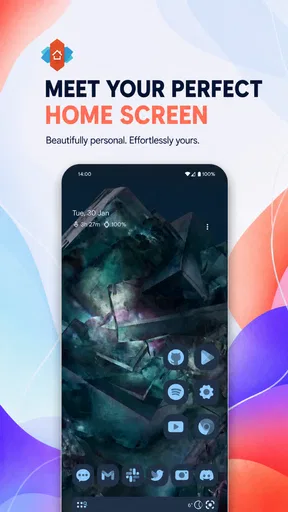
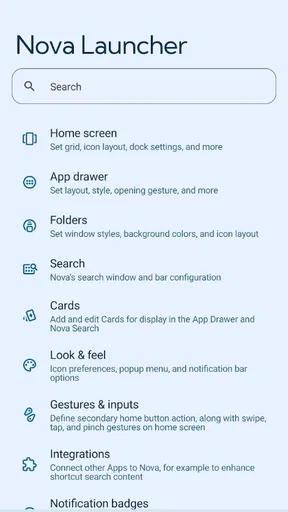
So, what's the first thing that hits you when you fire up Nova Launcher for the first time? It's the sheer magnitude of customization options! It's like stepping into a candy store for your home screen. You can tweak icons, change the app drawer style, and even adjust the grid size to suit your fancy. I found myself spending hours just fiddling with the settings, trying out different combinations. It's the kind of app that lets you truly make your phone your own.
Smooth Performance
Now, all those customization options would mean nothing if the launcher bogged down your phone, right? Thankfully, performance is one area where Nova doesn't disappoint. It's silky smooth, with transitions that glide effortlessly. Even on older devices, I noticed there was no lag or stutter, which is a testament to how well-optimized this app is. It’s like adding a turbo boost to your phone’s interface.
Backup and Restore
One of the features that stood out to me was the backup and restore functionality. Ever had that sinking feeling when you switch phones and have to set everything up from scratch? With Nova, you can back up your current setup and restore it on a new device with ease. It's a lifesaver for those who love to tinker with their setups and means you can always have your favorite layout on hand.
Gestures and Shortcuts
Gestures are a big win for me. I love being able to swipe up or down, double-tap, or pinch to trigger different actions. It makes navigation a breeze and adds a layer of convenience you didn't know you needed. Plus, the ability to set up shortcuts for your most-used apps is just icing on the cake. It’s all about making your phone work for you in the most efficient way possible.
Icon Packs and Themes
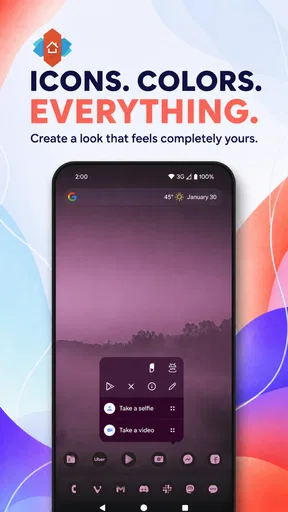
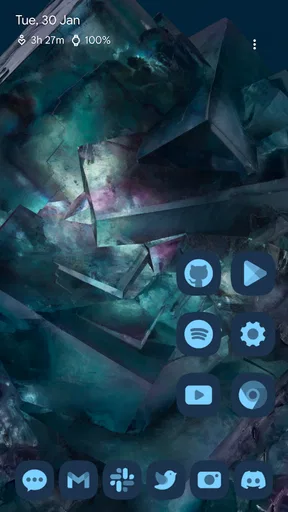
If you're into aesthetics, icon packs and themes are going to be your new best friends. Nova Launcher supports a plethora of third-party icon packs, allowing you to change the look of your icons to match your mood or theme. I found myself experimenting with various styles, from minimalist to vibrant, until I found the perfect fit for my style. It’s all about expressing yourself in every little detail.
Night Mode and Dark Theme
For those who like to keep things easy on the eyes, the night mode is a great feature. You can schedule it to turn on automatically at a certain time or toggle it manually. Plus, the dark theme is a blessing for AMOLED screens, helping save some battery life while looking sleek and modern.
Conclusion: A Must-Have for Android Enthusiasts
In a world where personalization is key, Nova Launcher stands out as a top contender for anyone looking to enhance their Android experience. Its blend of customization, performance, and thoughtful features makes it a must-have app. Whether you’re a power user or just someone who wants a bit more control over their home screen, Nova delivers in spades. Go ahead, give it a whirl, and watch your home screen transform into something truly unique.
Ready to give your Android a fresh new look? Check out Nova Launcher and see what all the fuss is about. Trust me, you won't regret it!
Pros
- Highly customizable interface.
- Smooth and fast performance.
- Backup and restore options.
- Supports icon pack customization.
- Frequent updates and support.
Cons
- Limited features in free version.
- Complex for first-time users.
- Some features require Prime upgrade.
- Occasional widget compatibility issues.
- No direct Google Feed integration.
FAQs for Nova Launcher: Home Screen
What is Nova Launcher, and how does it enhance my Android experience?
Nova Launcher is a customizable home screen replacement for Android devices. It offers a variety of features that enhance the user experience by allowing you to personalize your device’s interface. With Nova Launcher, you can change icons, layouts, animations, and more, making your device look and feel unique. It's known for its smooth performance and flexibility.
Is Nova Launcher free, or are there any premium features?
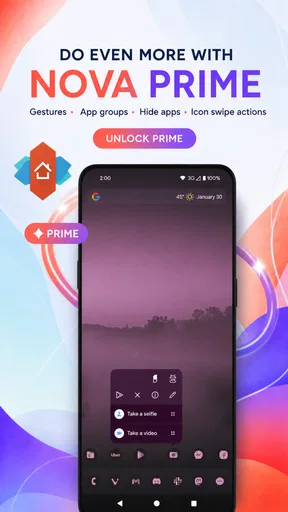
Nova Launcher offers both a free version and a premium version called Nova Launcher Prime. The free version provides basic customization features. However, Nova Launcher Prime unlocks additional features such as custom gestures, unread counts, and more advanced options. Many users find the premium features worth the investment for the added customization.
Will Nova Launcher affect my device’s performance or battery life?
Nova Launcher is designed to be lightweight and efficient, ensuring minimal impact on performance and battery life. It is optimized for speed, providing a smooth and responsive experience. While any launcher could potentially use resources, Nova Launcher is well-regarded for its ability to run seamlessly without draining your battery or slowing down your device.
Can I revert to my original launcher after installing Nova Launcher?
Yes, you can easily switch back to your original launcher at any time. To do this, go to your device’s settings and navigate to the ‘Home’ or ‘Home screen’ settings. Here, you can select your default launcher. Uninstalling Nova Launcher will also revert your device to the original launcher automatically.
Is Nova Launcher compatible with all Android devices?
Nova Launcher is compatible with most Android devices running Android 5.0 or higher. It works well across a wide range of smartphones and tablets, offering consistent performance. However, certain features may vary depending on the device’s capabilities or the version of Android it is running, so it's always a good idea to check compatibility with your specific device.


